Flight Master Updates & Patch Notes
Update 10 highlights plus how to prepare your settings after each patch.
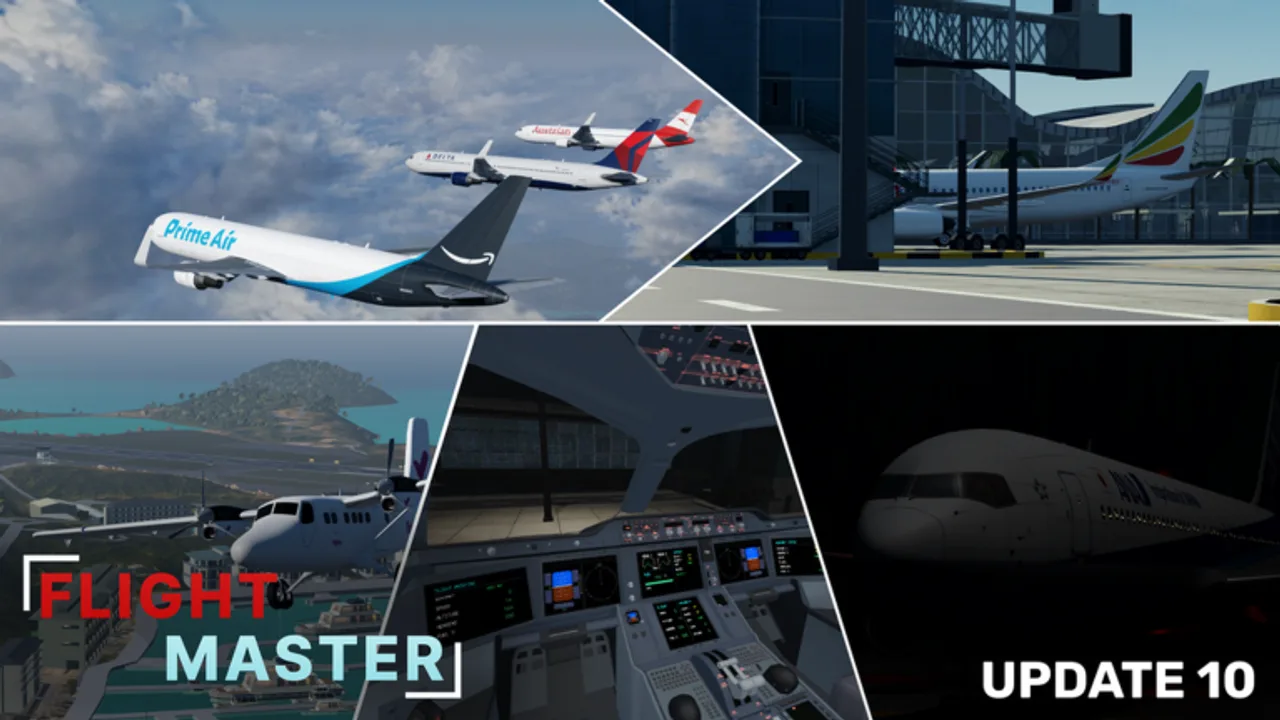
Stay current with Flight Master updates on Roblox. This hub summarizes Update 10 and earlier milestones so you know which systems changed before you jump into a server. For the full checklist open the dedicated Update 10 patch notes. Cross-check new aircraft on the tier list and revisit controls whenever the flight UI is revamped.
Update 10 headline changes
Official notes and the release trailer call out a major content + systems patch:
- Hamilton Island Airport remodel
- Hamilton Island scenery remodel
- Full physics rework
- Doha Hamad International Airport remodel
- Boeing 767 addition
- Volumetric clouds
- A350 cockpit upgrades
- 737 cockpit improvements
- Wingflex on A330, A340, and 767
- Settings revamp
- Weather rework
- Flight UI revamp
- ATC + Map Editor rescript
- Large bug-fix pass
- New loading screen
These changes affect almost every guide on the wiki. After installing, complete one training circuit using takeoff and landing before attempting difficult airports.
How to prepare after a big patch
- Reset custom keybinds if taxi or camera feels inverted.
- Re-open the settings panel — Update 10 rebuilt it.
- Test lights, flaps, and gear on a long runway.
- If you own ATC or Map Editor, confirm the rescripted UI still matches the ATC guide and Map Editor guide.
- Check codes in case a celebration reward dropped with the trailer.
Recent content milestones
| Milestone | Why it matters |
|---|---|
| Update 10 | Physics, weather, UI, 767, island + Doha remodels |
| A320neo release | Modern narrow-body for the tier list |
| Map Editor introduction | Custom airports and private fly-ins |
| Twin Otter + ATC update | STOL flying and tower gameplay |
| 50M visits cinematic | Community proof of scale (now 70M+) |
| 1-year anniversary | Longevity and roadmap confidence |
Physics and weather rework tips
The full physics rework means old muscle memory may float or sink on flare. Expect different rotation feel and updated wingflex visuals on supported heavies. Volumetric clouds and the weather rework change visibility on approach — practice IFR-like discipline even in VFR weather by relying on instruments inside upgraded cockpits.
ATC + Map Editor rescript
Both gamepass workflows were rewritten. If buttons moved, follow the refreshed steps in their guides rather than older YouTube HUD layouts. Private servers remain the best place to stress-test custom runways after editor changes.
Watching trailers the smart way
Official trailers show new airports and planes quickly. Pause on cockpit close-ups to spot panel changes, then hop in-game and mirror the camera angles. Community reviews (Seniac, Wes, and others) help with first-hour impressions, while this wiki keeps structured checklists.
Version hygiene for scripts
Executor scripts often break when physics and UI are rewritten. Read the Scripts Hub risk notes before blaming the game for a desync after Update 10.
What to fly first after Update 10
- Revisit Hamilton Island with a mid-size jet to learn the remodel.
- Try Doha Hamad for long-runway heavy practice with the 767.
- Compare A350 and 737 cockpits to learn the new instrument layouts.
- Schedule an ATC session once traffic feels normal again.
Roadmap listening
Players frequently request 747, A380, additional airline liveries, mobile cockpit parity, and landing-score feedback. Track official Discord for what is actually scheduled versus wish-list noise, and treat YouTube comment sections as unverified.
Archive habit
When the next update drops, skim the Roblox description bullet list, watch the trailer, then update your personal checklist: planes owned, airports remodeled, and gamepasses affected. Return to Getting Started if you are bringing a friend into the game for the first time after a large patch.
Frequently Asked Questions
Quick answers for Flight Master pilots, ATC, and builders.
What is new in Flight Master Update 10?
Hamilton Island and Doha remodels, Boeing 767, volumetric clouds, cockpit upgrades, wingflex, settings/weather/UI revamps, and ATC + Map Editor rescripts.
Do I need to relearn controls after Update 10?
Basic keys are similar, but the flight UI and settings menus were rebuilt. Complete one training flight to re-confirm binds.
Where are patch notes posted?
Primarily on the Roblox game description, official Discord, and Flight Master YouTube trailers.
Did Update 10 add codes?
Check the Codes Hub and Discord after each trailer. Update notes focus on content and systems; codes are announced separately when they exist.