Flight Master Scripts
Executor tips, common script types, and why skill still beats cheats in this sim.
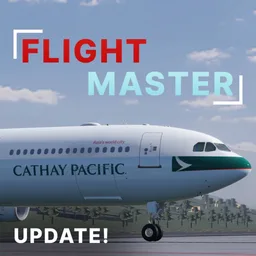
Flight Master scripts are a frequent search for Roblox pilots who want faster taxi, freecam helpers, or auto features. This hub explains what people usually look for, how executor workflows work at a high level, and why legitimate practice with the controls guide still produces better landings than most injectors.
Flight Master is a physics-focused simulator. Cheating through terrain or unlocking paid planes can break sessions for everyone on a 16-player server and risks account moderation. Use this page as a research summary, then spend real time on takeoff and landing.
What players usually search for
Community script hubs often list universal tools that players try inside Flight Master:
| Script type | Typical features | Fit for Flight Master |
|---|---|---|
| Universal fly / freecam | Toggle flight, speed slider, mobile buttons | Conflicts with aircraft physics; mainly useful for sightseeing outside a plane |
| Speed / noclip hubs | Walk speed, clip through props | Can help explore Map Editor builds; unsafe on active runways |
| Auto farm style | Loop rewards | Poor fit — Flight Master is not a clicker |
| ESP / player list | Highlight pilots | Niche for ATC roleplay servers |
Game-specific Flight Master scripts are rarer than universal fly hubs. When a loadstring appears online, verify the place ID matches 16290530659 before you paste anything.
High-level how scripts are run
- Install a Roblox script executor that supports your device (PC is most common).
- Join Flight Master and wait until the plane select UI fully loads.
- Paste a loadstring or open a hub GUI from your executor clipboard.
- Enable only the features you understand; disable fly before seating in a cockpit.
- If the aircraft desyncs, stop the script and respawn cleanly.
Never enter account passwords into script UIs. Prefer keyless snippets from well-known directories, and discard obfuscated pastebins that request HTTP permissions you do not recognize.
Safer legitimate alternatives
Most goals people chase with scripts have a fair counterpart:
- Learn the flight model — follow Getting Started and practice circuits.
- Build custom runways — buy/use the Map Editor gamepass instead of noclip building hacks.
- Direct traffic — use the ATC guide gamepass workflow.
- Pick the right aircraft — consult the plane tier list before spending Robux.
- Track patches — read Updates so your keybinds still match the latest UI revamp.
Risks and etiquette
Using executors can violate Roblox rules and Flight Master community norms. Possible outcomes include kicks, bans, broken physics, or corrupted local settings after Update 10’s full physics rework. On shared servers, scripted free-fly through approach paths ruins landings for others.
If you experiment in a private server, keep scripts off while other pilots are on final. Prefer freecam for screenshots, then switch back to stock controls for actual flights.
Mobile vs PC notes
Mobile players often search for on-screen fly pads. Flight Master already ships touch-friendly throttle and camera options after the flight UI revamp. Master those first. PC players with mouse yoke control gain more from lowering sensitivity and using rudder on taxi than from injecting speed hacks.
Scripts and codes
Scripts do not replace codes. Codes (when available) are official rewards. Scripts alter client behavior. Keep the two topics separate when you ask for help in Discord.
Recommended practice loop without cheats
- Spawn a free or beginner-friendly plane from the tier list.
- Complete one full pushback → taxi → takeoff → pattern → landing using takeoff and landing.
- Repeat at a short runway from the airports guide.
- Optionally staff ATC for one session.
- Only then evaluate whether a quality-of-life script is worth the risk.
Bottom line
Script directories will keep indexing Flight Master because the game is popular. Treat every loadstring as untrusted, prefer official gamepasses for ATC and Map Editor, and invest practice time where it shows: stable approaches, clean touchdowns, and smart plane choices. Return here after major updates in case executor compatibility notes change, and keep the Updates Hub bookmarked.
Frequently Asked Questions
Quick answers for Flight Master pilots, ATC, and builders.
Does Flight Master have a dedicated script hub?
Most public snippets are universal fly or utility hubs. Always confirm they target place ID 16290530659 and understand Roblox risk before running anything.
Can scripts unlock paid planes?
Client scripts cannot reliably unlock server-side Robux aircraft. Buy planes you want or practice on free options listed in the tier list.
What is safer than using scripts?
Learn controls, use ATC and Map Editor gamepasses, and follow the takeoff and landing guide for real skill gains.
Will scripts break after Update 10?
Physics, ATC, Map Editor, and UI rescripts often break injectors until authors update them. Expect instability after large patches.