Flight Master Guides & Walkthroughs
From first taxi to custom airports — every Flight Master tutorial lives here.
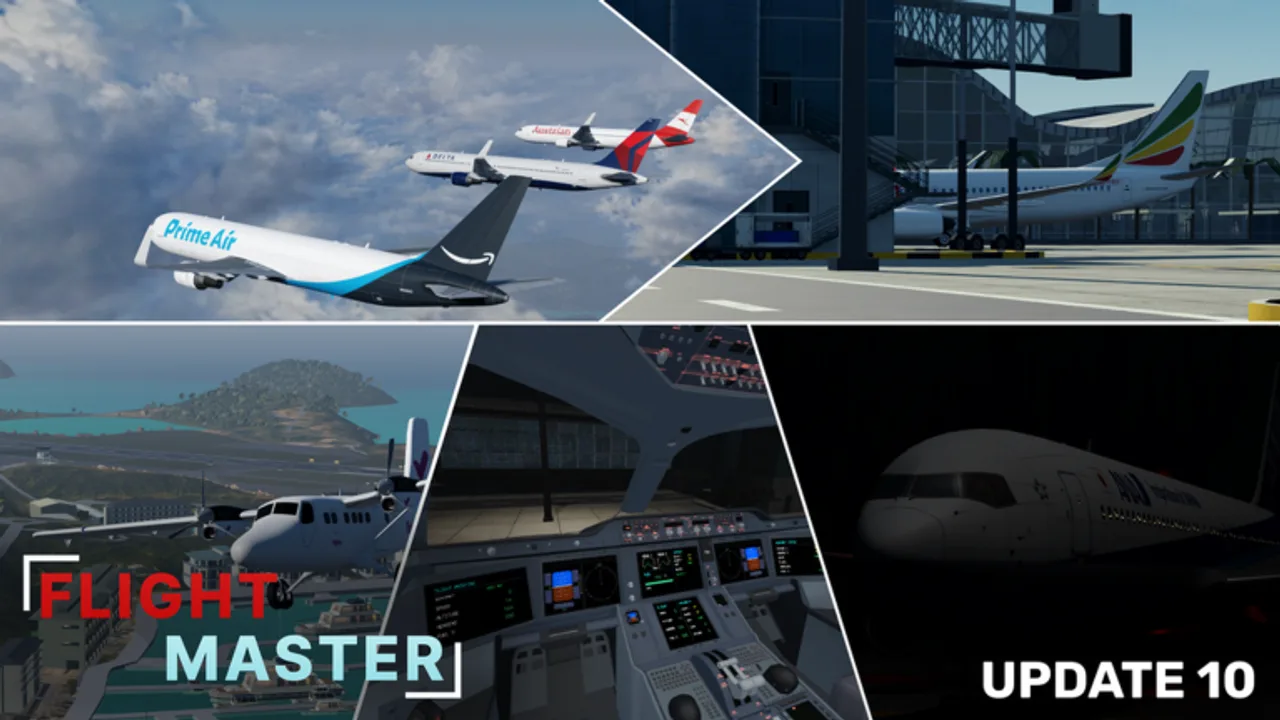
Welcome to the Flight Master guides hub. Whether you just clicked Play on Roblox or you are returning after Update 10, these tutorials solve the searches players type daily: how to fly, how to land, how to change weather, how to use ATC, and how to build runways.
Start with Getting Started if this is your first session. Skim Beginner Tips for common mistakes, jump to Controls when the HUD feels unfamiliar, or open Takeoff and Landing when you can leave the ground but keep bouncing on arrival.
Core learning path
- Getting Started — spawn, plane select, first flight plan
- Beginner Tips — mistakes, drills, progression without daily codes
- Controls — engines, yoke, rudder, lights, cameras
- Weather & Settings — Update 10 UI, clouds, presets
- Takeoff and Landing — rotation, flare, reverse
- Airports — Hamilton, Doha, Juliana, and short-strip tips
- Boeing 767 — flagship widebody after trainers click
- Liveries — paints without sacrificing readability
- ATC Guide — tower workflow and phraseology basics
- Map Editor — custom runways and private fly-ins
What these guides cover
Onboarding and systems
Flight Master mixes realistic cockpits with Roblox-friendly mouse flying. The onboarding guides explain pushback, taxi lights, and how the settings revamp changed menus after Update 10.
Skills players search for
How to take off, how to land smoothly, how to find the right runway heading, how to protect your approach from traffic, how to tune weather, and how to complete a full circuit without pausing.
Advanced toys
ATC and Map Editor are gamepass-powered features that turn the sim into a social airport. Their guides link back to pilot basics so controllers and builders still understand what crews need.
Pair guides with other hubs
- Claim any promo rewards on the Codes Hub
- Pick airframes with the plane tier list
- Read Updates and Update 10 before trusting older video HUDs
- Join Discord via the Links Hub
- Skim Scripts only after you can fly stock
- Check Players / Gamepasses for ATC and editor ownership notes
How we write tutorials
Each guide aims for practical checklists, mid-article videos when a real YouTube walkthrough exists, and FAQs that match search language. We do not invent video IDs. When multiple creators cover the same takeoff topic, we keep a single consolidated page. The PC nav dropdown shows the first entries and links “View all” back here when the list grows past eight items.
Suggested weekly practice
| Day | Focus | Guide |
|---|---|---|
| 1 | Menu + first circuit | Getting Started |
| 2 | Mistakes + drills | Beginner Tips |
| 3 | Lights, cameras, weather | Controls / Weather |
| 4 | Ten landings | Takeoff and Landing |
| 5 | Remodel tour | Airports |
| 6 | Tower or editor night | ATC / Map Editor |
Mobile and PC
PC players should calibrate mouse sensitivity early. Mobile pilots should learn on-screen throttle and camera switching before attempting short runways. Both platforms benefit from the same mental checklist: engines, lights, flaps, clearance, rotate, gear, navigate, configure, flare, reverse, taxi clear.
After Update 10
Physics, weather, volumetric clouds, and UI changes mean older muscle memory can fail. Re-run the landing guide at remodeled Hamilton Island and Doha Hamad, then celebrate with a 767 hop using the dedicated Boeing 767 guide.
Contribute by flying smarter
When you master a niche (night ops, STOL Twin Otter, custom editor airports), use the related links inside each guide to teach friends. A shared vocabulary — callsigns, runway numbers, go-around — makes public servers better for everyone.
Browse the articles below and keep this hub bookmarked as new aircraft and airports arrive.
Frequently Asked Questions
Quick answers for Flight Master pilots, ATC, and builders.
Which Flight Master guide should I read first?
Start with Getting Started, then Controls, then Takeoff and Landing before experimenting with ATC or the Map Editor.
Do guides include YouTube videos?
Yes when a real public video exists. Each page embeds at most one mid-article video.
Are these guides updated for Update 10?
Yes — physics, UI, airport remodels, and new aircraft notes are reflected across the learning path.
Where do I find plane rankings?
Use the Plane Tier List hub for S/A/B/C recommendations linked from every guide.